
OCR scanners are the key to digital efficiency
OCR scanners put an end to manual typing, piles of paper and wasted time. An OCR scanner turns analogue data into digital efficiency and changes the way you work.
What does an OCR scanner do?
Fast. Precise. Searchable.
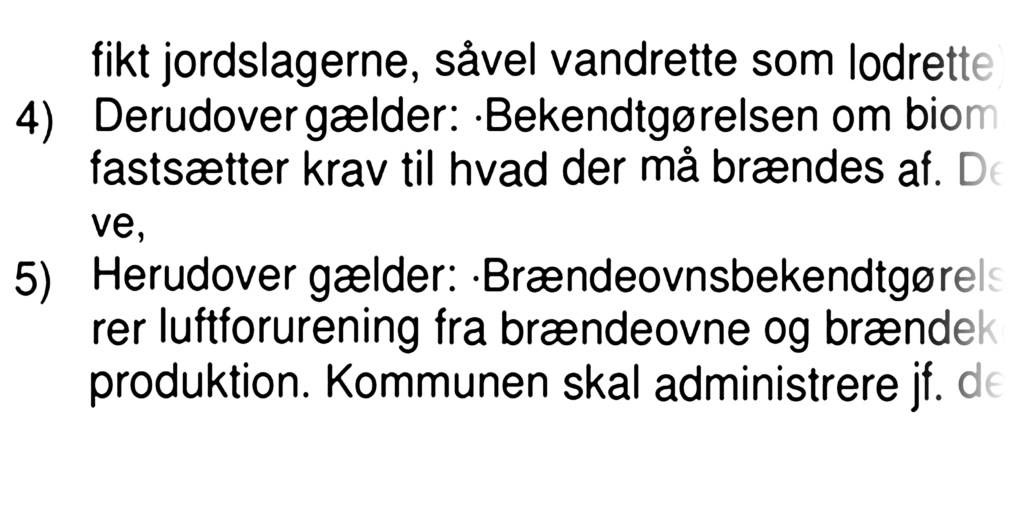
It recognizes and extracts text from printed, typewritten or handwritten documents. It analyzes images and separates text from graphics. Thanks to modern algorithms, it converts the content into editable formats such as Word, Excel or searchable PDFs.
Invoices, reports or presentations – your data is immediately ready for further processing.
Invoices, reports or presentations – your data is immediately ready for further processing.
Why OCR scanners are indispensable in the age of digitization
One tool, many functions
In a data-driven world, OCR scanners and Optical Character Recognition (OCR) do more than read text. They turn analogue content into digital information – from a scanned original to searchable files, with an accuracy of up to 99.7%.
From old paper archives to current business documents: OCR scanners bring order to your files and make them ready for digital processing.
From old paper archives to current business documents: OCR scanners bring order to your files and make them ready for digital processing.

Authorities
Case files and records, searchable in seconds.

Companies
Invoices and contracts, ready for further processing.

Educational institutions
Archives and course material, available anywhere.
An OCR scanner is your partner for digital transformation: fewer manual tasks, faster processes and better use of your data.
Which text formats can an OCR scanner process?
From PDF to Word and Excel


Sharply printed texts, typewritten reports or handwritten notes – an OCR scanner handles almost any challenge, including multilingual content and different fonts.
Possibilities and limitations of PDF processing
Clear scans, best results
Not every scanned PDF is ideal for OCR – clear, legible scans work best. Modern OCR engines improve the rest.

Faded or damaged
Scan quality is improved

Multi-page documents
Every page becomes searchable

Mixed text and images
Text is separated from graphics

Compressed files
Content becomes usable again
Faded or damaged
Scan quality is improved
Multi-page documents
Every page becomes searchable
Mixed text and images
Text is separated from graphics
Compressed files
Content becomes usable again
Key benefits of the WebLager® OCR scanner
Key benefits of the WebLager® OCR scanner
Time saving
Automatic OCR text recognition saves valuable time.
Precision
Text is recognized with an accuracy of up to 99.7%
Accessibility
Your digitized data is available anywhere.
Integration
Fits seamlessly into existing workflows.
Automation
Routine tasks are handled efficiently.
Explore more about OCR
OCR scanners are one part of our OCR service
OCR text recognition
Find any document in seconds, not hours. OCR text recognition turns scanned paper, invoices and even handwritten notes into searchable, editable files. Securely stored to ISO 27001 standards, and ready whenever you need them.
OCR text recognition
OCR PDF
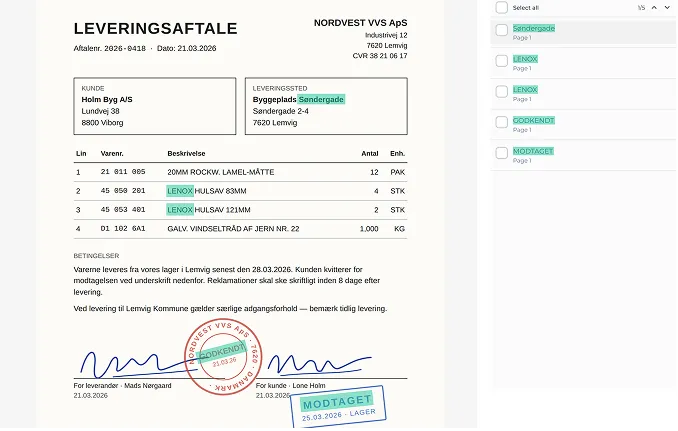
Turn every scan into a PDF you can search, copy and edit. OCR PDF from WebLager® converts invoices, contracts and image files into searchable documents or Word and Excel files, so manual typing becomes a thing of the past.
OCR PDF
OCR text recognition
Find any document in seconds, not hours. OCR text recognition turns scanned paper, invoices and even handwritten notes into searchable, editable files. Securely stored to ISO 27001 standards, and ready whenever you need them.
OCR PDF
Turn every scan into a PDF you can search, copy and edit. OCR PDF from WebLager® converts invoices, contracts and image files into searchable documents or Word and Excel files, so manual typing becomes a thing of the past.