
OCR text recognition makes your documents searchable
OCR (Optical Character Recognition) reads printed and handwritten text in scanned documents. We turn it into digital text you can search, edit and share.
No more typing documents by hand. No more digging through folders. Your archive becomes a tool you use every day.
No more typing documents by hand. No more digging through folders. Your archive becomes a tool you use every day.
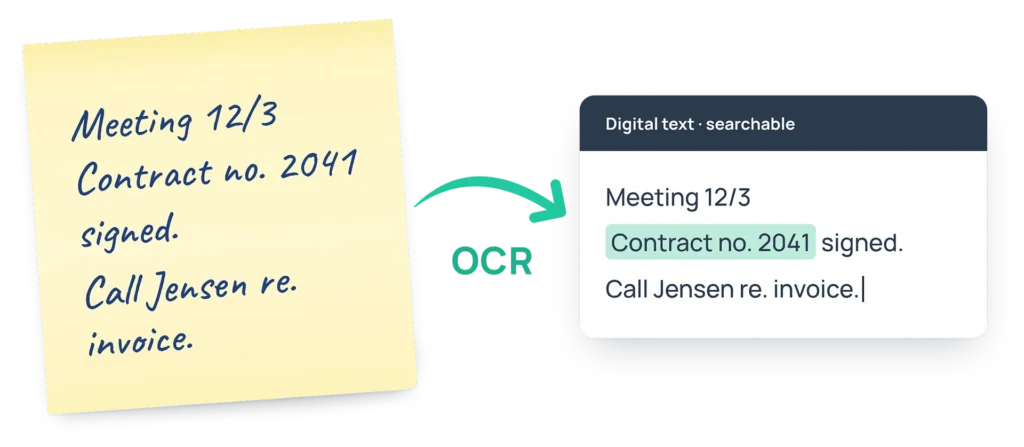
From handwritten text to file
Your path to digital efficiency
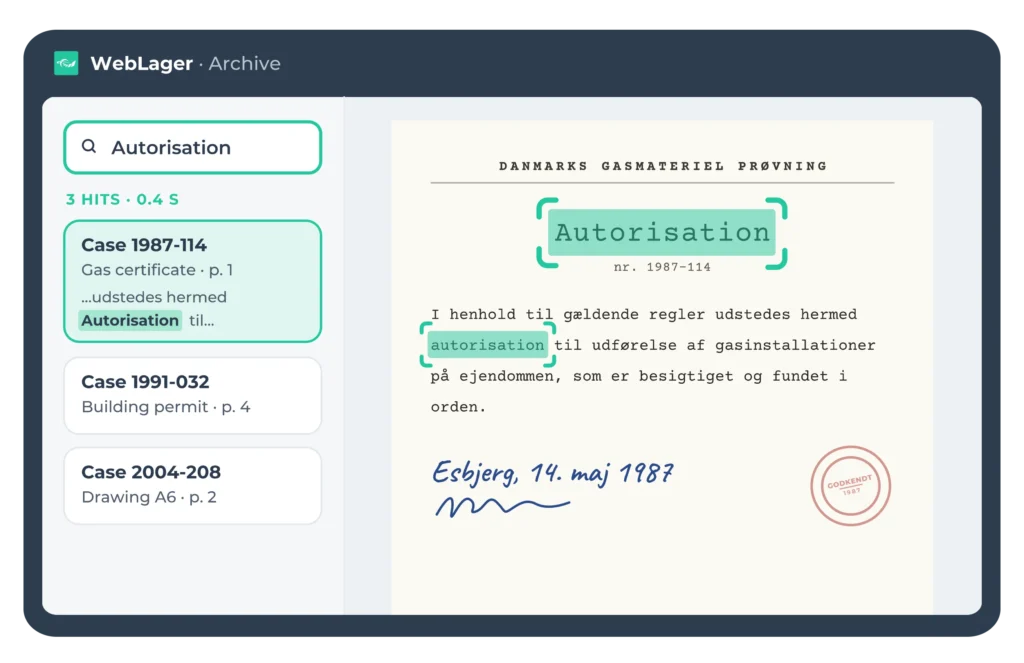
Search your archive in seconds instead of hours. OCR character recognition makes it possible.
Our software analyzes every character. It recognizes printed text, numbers and even handwritten notes. Invoices, contracts, technical drawings: every document becomes searchable and available whenever you need it.
The result: From paper on a shelf to text in your online archive.
Our software analyzes every character. It recognizes printed text, numbers and even handwritten notes. Invoices, contracts, technical drawings: every document becomes searchable and available whenever you need it.
The result: From paper on a shelf to text in your online archive.
How does OCR text recognition work?
The process combines advanced technology with precise procedures. It starts with scanning your documents, which are then processed by optical analysis.

Recognize
No matter which fonts and languages: fonts and characters are recognized and analyzed with precision.

Extract
The software extracts text from scanned files or images and converts it into searchable formats.

Check
Full-text data is matched with language patterns using intelligent algorithms to minimize errors.
OCR is not only used for digitization. It also optimizes your work processes, from recognizing handwritten text to extracting individual data fields.
Clean text, no false hits
See the difference
The same scanned certificate, read by two OCR engines. Only real text should end up in your search results.
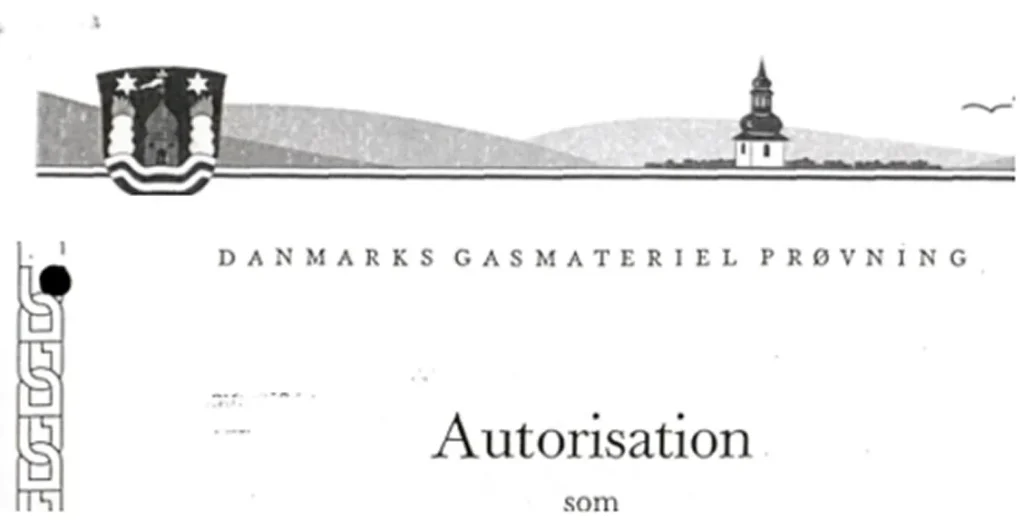
Original scan
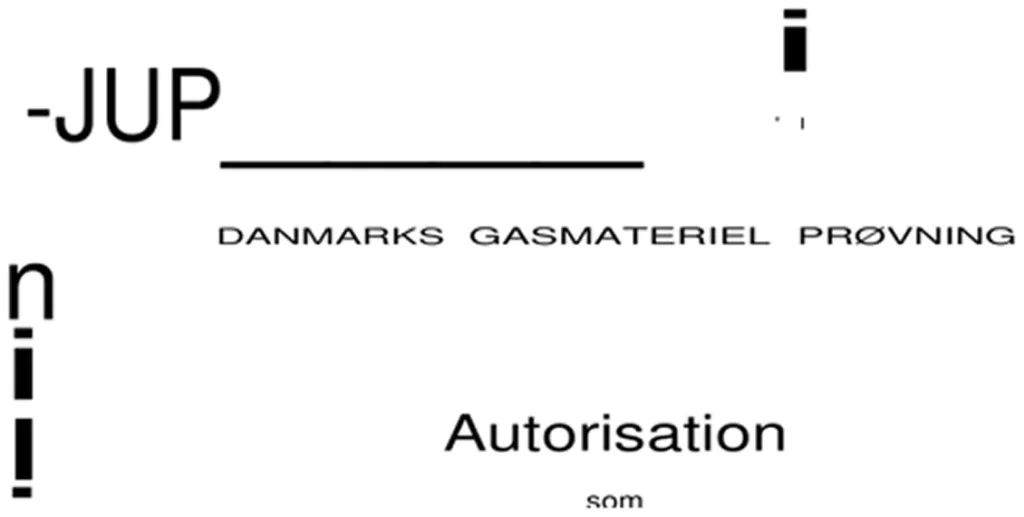
Standard OCR
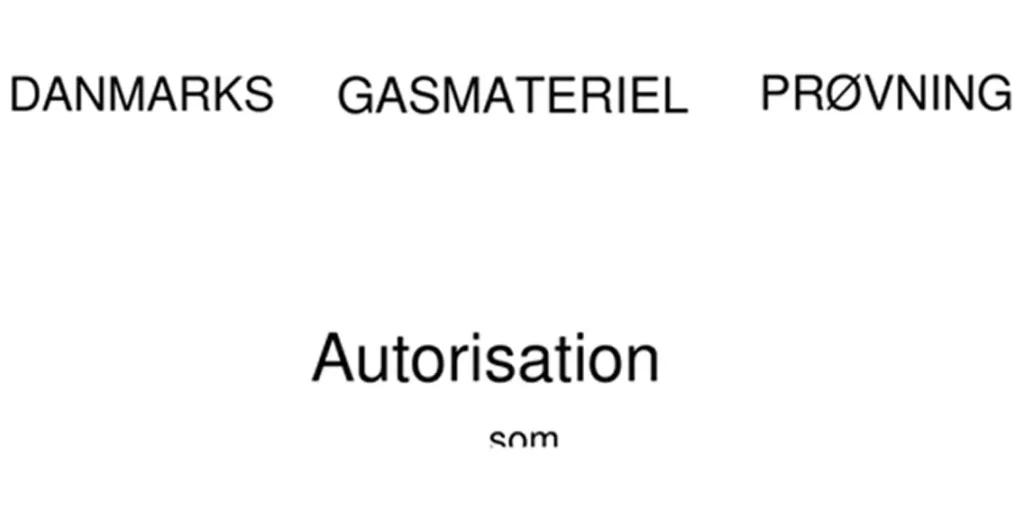
WebLager OCR
Which documents or texts can be digitized?
OCR text recognition is so versatile that it can process almost any document.

Paper documents
Letters, invoices, files and records.

Scanned contracts
Full-text search across every clause.

Image files
Photos, diagrams and images with text.

Technical drawings
Labels, stamps and notes on large formats.
Even optical content such as diagrams or photos with text can be precisely scanned and processed.
For archiving or processing large volumes of paper documents, we offer customized solutions.
For archiving or processing large volumes of paper documents, we offer customized solutions.
That’s why WebLager® is the right partner for OCR text recognition
More than OCR. A complete solution for your documents
WebLager® ensures that your data is not only digitized, but also searchable, editable, and securely stored.
Our technology recognizes even complex content and processes it in the highest quality. Our solutions suit both small projects and the digitization of entire archives.
Your benefit: Thanks to our ISO certifications (9001:2015 and 27001), your data is always protected. Throughout the entire process.
Our technology recognizes even complex content and processes it in the highest quality. Our solutions suit both small projects and the digitization of entire archives.
Your benefit: Thanks to our ISO certifications (9001:2015 and 27001), your data is always protected. Throughout the entire process.
That’s why WebLager® is the right partner for OCR text recognition
More than OCR. A complete solution for your documents
WebLager® ensures that your data is not only digitized, but also searchable, editable, and securely stored.
Our technology recognizes even complex content and processes it in the highest quality. Our solutions suit both small projects and the digitization of entire archives.
Your benefit: Thanks to our ISO certifications (9001:2015 and 27001), your data is always protected. Throughout the entire process.
Our technology recognizes even complex content and processes it in the highest quality. Our solutions suit both small projects and the digitization of entire archives.
Your benefit: Thanks to our ISO certifications (9001:2015 and 27001), your data is always protected. Throughout the entire process.
OCR text recognition you can trust
Our optical text recognition technology precisely recognizes characters, symbols and fonts. State-of-the-art tools ensure that every scan delivers a high-quality result.
The searchability of your files improves, so that every word and every line can be found immediately.
The searchability of your files improves, so that every word and every line can be found immediately.
How OCR text recognition changes your working environment
How OCR text recognition changes your working environment
It’s great when your accounting department can find invoices in seconds.
Even better: your legal department has immediate access to contracts and handwritten notes.
This is achieved by converting full text into searchable documents. Text recognition is not just for digitization.
Even better: your legal department has immediate access to contracts and handwritten notes.
This is achieved by converting full text into searchable documents. Text recognition is not just for digitization.
Explore more about OCR
Text recognition is one part of our OCR service
OCR scanner
Piles of paper, endless typing and wasted time? An OCR scanner from WebLager® reads printed, typed and even handwritten documents with an accuracy of up to 99.7%
OCR scanner
OCR PDF
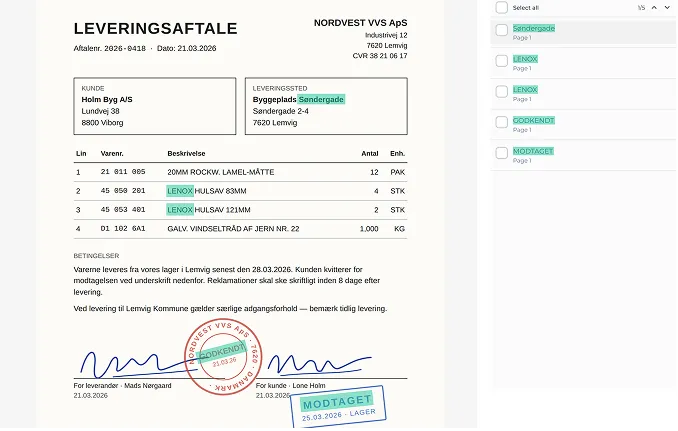
Turn every scan into a PDF you can search, copy and edit. OCR PDF from WebLager® converts invoices, contracts and image files into searchable documents or Word and Excel files, so manual typing becomes a thing of the past.
OCR PDF
OCR scanner
Piles of paper, endless typing and wasted time? An OCR scanner from WebLager® reads printed, typed and even handwritten documents with an accuracy of up to 99.7%
OCR PDF
Turn every scan into a PDF you can search, copy and edit. OCR PDF from WebLager® converts invoices, contracts and image files into searchable documents or Word and Excel files, so manual typing becomes a thing of the past.